Dashboard Series: The Perfect Sales Dashboard For Executives

Dashboard Series: The Perfect Sales Dashboard For Executives

Welcome to the Dashboard Series where we highlight best data visualization practices and real-life effective information on sales dashboards.

The Dashboard Series – The Perfect Sales Dashboard for Executives

Company leadership must have a firm grasp on a company’s revenue activities. Understanding which products are selling, which product sales are waning, the impact of geography on sales, and sales rep performance are some important measures. This article outlines an execellent sales dashboard used by executives that help us understand these metrics. We highlight important dashboard capabilities and the most impactful visualizations.

The Metrics

The core sales metrics are straight forward and self-explanatory. These includes sales amount, units, average sales price (ASP), cost, gross margin and gross margin percentage.

Top Customers

Consistent sales with sales growth depends on understanding your customers. Your top customers often make up a large amount of sales. Hence, you need a sales dashboard that creates reports and provides on your elite clientele.

Top Products

Which products represent your largest sales segments? Are there any surprises? Leaders must understand exactly which products account for revenue and sales dashboard helps them with just that.

Geography

Understanding sales accoss country, state, city and zip drive many aspects of the business. Is there competition in an area? Can orders be delivered to various areas? By leveraging the insights provided by a sales dashboard, executives can optimize delivery logistics and target marketing efforts better.

Key Features

Effective sales dashboards have fundamental business user capabilities. Sales leaders are sophisiticated and expect this functionality.

Slicers

A good sales dashboard provides several means for slicing a dashboard’s data. Clicking on a chart’s pie slice or bar can cause the entire dashboard to adjust for that value. Dropdown combo boxes and buttons can also provide precise slicers.

Drill Down

Drill down is used within a visual to navigate through hierarchical data. For instance, when viewing a sales amount by sales rep chart, users may want to drill down on a single sales rep to see a summary of products sold.

Drill Through

Drill through is used to navigate to a different report page that provides more detailed information related to a selected data point. For instance, users might want to click on a sales rep in a chart and see the underslying sales transactions.

Conclusion

Sales dashboard design can be complex. Gathering the required data using a proper data pipeline, applying business logic for value transformation and information design can be daunting tasks.

But having a target dashboard, such as this sales dashboard tailored for executives and designed for use cases help provide the end goal, fosters discussion, and gives an excellent starting point.
Pre-Built Analytics for Accounts Payable (A/P) and Accounts Receivable (A/R)

Pre-Built Analytics for Accounts Payable (A/P) and Accounts Receivable (A/R)

In today’s fast-paced and data-driven world, businesses need more than gut instinct to make impactful cashflow decisions. Success stems from having the right insights, and Neat Data is here to empower accounting teams with the tools they need to thrive. Our suite of pre-built accounts payable (A/P) and accounts receivable (A/R) dashboards delivers actionable analytics, enabling you to optimize purchasing, collections, and strengthen supplier relationships.

Our data engineers integrate these dashboards with your ERP or accounting platform to ensure the analytics are updated automatically.

Let’s take a look at what these dashboards can do for your business.

Table of Contents

  1. Accounts Payable
  2. Accounts Receivable

Accounts Payable

Pre-built dashboard list.

  1. Accounts Payable Overview
  2. Vendor Payments
  3. Payment Trends
  4. Payables Alerts
  5. Anomaly Detection
  6. Cash Flow Scenarios

Overall Business Benefits

Benefits of using Neat Data pre-built dashboards for A/P.

    • Stronger Supplier Relationships: Ensuring timely payments improves trust and may lead to better terms.
    • Improved Financial Control: Businesses can track AP trends and anomalies to prevent errors and fraud.
    • Enhanced Decision-Making: Data-driven insights allow for more strategic cash flow and vendor management.
    • Operational Efficiency: Reducing overdue payments and optimizing DPO improves overall financial health.

1. Accounts Payable Overview

Key Metrics Tracked:

  • Total Payable Balances: Helps businesses understand the amount owed to suppliers.
  • Days Payable Outstanding (DPO) Trend: Measures how long a company takes to pay its suppliers.
  • Compliance Trend: Tracks adherence to payment policies.
  • Invoice Amount Trend: Identifies spending patterns over time.
  • AP Balance by Vendor: Shows outstanding balances by supplier.

How Businesses Can Use This Data:

  • Improve Cash Flow Management: By monitoring DPO trends, businesses can optimize when to pay suppliers while maintaining good relationships.
  • Ensure Compliance: Avoid penalties by tracking adherence to financial policies.
  • Identify Vendor Risk: High outstanding balances with a single supplier could indicate over-reliance on one vendor.

2. Vendor Payments

Key Metrics Tracked:

  • Total Invoice Amount by Vendor: Shows which suppliers have the highest invoicing.
  • DPO by Vendor: Compares payment timelines for different suppliers.
  • Balance Amount & Overdue Status: Highlights late payments and outstanding amounts.

How Businesses Can Use This Data:

    • Prioritize Key Vendors: Ensuring timely payments to major suppliers to maintain favorable terms.
    • Negotiate Better Terms: Businesses can leverage this data to negotiate improved credit terms with suppliers.
    • Reduce Overdue Payments: Identifying overdue invoices helps avoid late fees and strained supplier relationships.

3. Payment Trends

Key Metrics Tracked:

      • Early, On-Time, and Late Payments: Tracks payment behavior and timeliness.
      • Discounts Provided by Vendors: Shows savings from early payments.
      • Historical Payment Trend: Identifies patterns in payment behavior.

How Businesses Can Use This Data:

      • Optimize Payment Strategies: Businesses can identify when early payments lead to meaningful discounts.
      • Address Late Payment Risks: A high percentage of late payments may indicate poor AP process efficiency or cash flow problems.
      • Improve Supplier Relations: Consistently late payments could damage supplier trust; this dashboard helps correct trends before they become problematic.

4. Payables Alerts

Key Metrics Tracked:

      • Invoices Approaching Due Date: Identifies invoices that need attention.
      • Overdue Invoices by Vendor: Highlights outstanding amounts with aging categories.
      • High-Value Overdue Invoices: Flags invoices exceeding a certain threshold.

How Businesses Can Use This Data:

      • Prevent Late Fees: Businesses can proactively address payments to avoid penalties.
      • Prioritize Payments: By focusing on high-value invoices, finance teams can make strategic cash disbursements.
      • Enhance Forecasting Accuracy: Identifying overdue trends can help refine financial planning.

5. Anomaly Detection

Key Metrics Tracked:

      • Duplicate Invoices Count: Identifies potential duplicate payments.
      • Flagged Transactions: Highlights unusually large invoices for review.
      • Compliance Rate: Measures how often payments follow set rules.
      • Overdue Invoices Count: Tracks the number of late invoices.

How Businesses Can Use This Data:

      • Prevent Fraud and Errors: Detecting duplicate invoices can prevent overpayments.
      • Ensure Compliance: Monitoring flagged transactions helps identify policy violations.
      • Maintain Supplier Trust: Addressing overdue invoices promptly preserves business relationships.

6. Cash Flow Scenarios

Key Metrics Tracked:

      • Days to Pay Improvement: Measures the impact of improved payment practices.
      • Cash Flow Improvement: Shows how early or delayed payments affect liquidity.
      • Historical Invoice Amounts and Balances: Helps track payment timing trends.

How Businesses Can Use This Data:

      • Optimize Cash Flow: Simulating different payment strategies allows businesses to manage liquidity more effectively.
      • Balance Supplier Payments with Financial Health: Companies can decide whether to delay payments to improve working capital or pay early for discounts.
      • Make Data-Driven Financial Decisions: Insights into payment behavior support strategic cash allocation.

Accounts Receivable

List of pre-built dashboards.

      1. A/R Overview
      2. Customer Balances
      3. Outstanding Analysis
      4. Payment Trends
      5. Sales Rep Performance
      6. Due Alerts
      7. Cash Flow Scenarios

Overall Business Benefits

Benefits of using Neat Data pre-built dashboards for A/R.

        • Stronger Cash Flow Management: Ensuring timely collections improves financial stability.
        • Improved Customer Credit Control: Identifying late-paying customers helps in refining credit terms.
        • Data-Driven Decision Making: Businesses can use A/R trends to adjust pricing, credit policies, and sales strategies.
        • Enhanced Financial Forecasting: Reliable A/R insights improve cash flow projections and planning.

1. A/R Overview

Key Metrics Tracked:

      • Total Outstanding Amounts: Amounts still due from customers.
      • Overdue Invoices: Identifies unpaid invoices past due dates.
      • Days Sales Outstanding (DSO) Trend: Measures how quickly receivables are collected.
      • Customer Outstanding Amounts: Highlights key customers with unpaid balances.
      • Sales Reps with High Outstanding Balances: Shows which reps’ customers have the most overdue invoices.

How Businesses Can Use This Data:

      • Improve Cash Flow Management: Reducing DSO ensures quicker cash inflow.
      • Strengthen Collection Efforts: Identifying customers with large overdue balances allows for targeted follow-ups.
      • Monitor Sales Rep Performance: Holding sales reps accountable for their clients’ payments can improve collections.

2. Customer Balances

Key Metrics Tracked:

      • Customer-Level A/R Balances: Identifies which customers owe the most.
      • Overdue Amount by Age Category: Breaks down overdue balances by how late they are (e.g., 30-59 days, 60-89 days).
      • Pending vs. Overdue Amounts: Separates unpaid invoices into overdue and not-yet-due categories.
      • Days Sales Outstanding (DSO): Tracks how long it takes to collect from each customer.

How Businesses Can Use This Data:

      • Prioritize Collections: Focus efforts on high-value overdue customers.
      • Address Chronic Late Payers: Customers with high DSO should be reviewed for credit risk.
      • Negotiate Payment Terms: If a customer consistently pays late, adjusting terms or offering early payment discounts could be beneficial.

3. Outstanding Analysis

Key Metrics Tracked:

      • Pending vs. Overdue Balances: Provides an aging report for outstanding invoices.
      • Breakdown by Customer & Sales Rep: Shows which accounts have the largest overdue balances.
      • Trends in Unpaid Invoices: Helps track collection efforts over time.

How Businesses Can Use This Data:

      • Improve Forecasting: Understanding payment behavior helps refine cash flow projections.
      • Enforce Payment Discipline: Identifies habitual late payers to take action against.
      • Optimize Credit Limits: If a customer consistently delays payments, consider adjusting credit terms.

4. Payment Trends

Key Metrics Tracked:

      • On-Time, Early, and Late Payment Rates: Analyzes how customers adhere to payment schedules.
      • Historical Payment Behavior: Shows trends in when invoices get paid.
      • Payment Terms Compliance: Tracks whether customers meet agreed payment terms.

How Businesses Can Use This Data:

      • Encourage Early Payments: Offering discounts for early payments can improve cash flow.
      • Address High Late Payment Rates: If most customers are paying late, reviewing payment terms and follow-up strategies is necessary.
      • Monitor Customer Reliability: Customers with consistently late payments might require stricter terms.

5. Sales Rep Performance

Key Metrics Tracked:

      • Outstanding Amount by Sales Rep: Tracks which sales reps have the most overdue customers.
      • Revenue vs. Collection Impact: Compares reps’ revenue contributions to overdue balances.
      • Payment Behavior by Rep’s Customers: Identifies reps associated with late-paying clients.

How Businesses Can Use This Data:

      • Hold Sales Reps Accountable: Linking commissions to payment collection ensures reps focus on quality sales.
      • Align Sales and Finance Goals: Encouraging sales teams to work with finance on collections can reduce overdue amounts.
      • Refine Customer Targeting: If certain reps consistently work with late-paying customers, their prospecting strategy might need adjustments.

6. Due Alerts

Key Metrics Tracked:

      • Invoices Nearing Due Dates: Lists invoices requiring immediate follow-up.
      • Overdue Amounts by Customer: Highlights overdue invoices with aging categories.
      • Invoices Over a Certain Age or Amount: Allows setting thresholds to flag high-risk accounts.

How Businesses Can Use This Data:

      • Prevent Late Payments: Automated follow-ups on upcoming due dates can improve on-time collections.
      • Reduce Bad Debt Risk: Proactively managing overdue accounts reduces the likelihood of non-payment.
      • Improve Cash Flow Predictability: Having visibility into near-due and overdue payments helps finance teams plan more effectively.

7. Cash Flow Scenarios

Key Metrics Tracked:

      • Days to Collect Improvement: Measures the impact of faster collections.
      • AR Cash Flow Improvement: Estimates financial impact if payments were collected earlier.
      • Historical Invoice Collections: Analyzes how quickly invoices have been settled over time.

How Businesses Can Use This Data:

      • Optimize Collection Strategies: Businesses can simulate how different collection strategies improve cash flow.
      • Set Realistic Payment Goals: Understanding how quickly customers historically pay allows better financial planning.
      • Enhance Working Capital Efficiency: Faster collections enable reinvestment into business growth.

With Neat Data’s comprehensive set of A/P and A/R dashboards, you’ll have the tools you need to track spending, improve cash flow, and drive measurable business success. Ready to transform your A/P and A/R processes? Let’s take the next step together.

Product Announcement : Pre-Built Procurement Analytics

Product Announcement : Pre-Built Procurement Analytics

In today’s fast-paced and data-driven world, businesses need more than gut instinct to make impactful decisions. Success stems from having the right insights, and Neat Data is here to empower procurement teams with the tools they need to thrive. Our suite of pre-built procurement dashboards delivers actionable analytics, enabling you to optimize purchasing, control costs, and strengthen supplier relationships.

Our data engineers integrate these dashboards with your ERP or accounting platform to ensure the analytics are updated automatically.

1. Procurement Overview

The Procurement Overview Dashboard provides a bird’s-eye view of your key purchase order details. It helps teams quickly identify trends, monitor performance, and understand variance metrics at a glance. With clear data visualizations like purchase order trends, actual versus expected invoicing, and product category breakdowns, this dashboard enables procurement leaders to monitor overall health and performance in real time.

2. Amount Purchased

The Amount Purchased Dashboard delivers insights into how much you’ve bought and spent over time. With breakdowns by vendor, product category, and location, you can track spending patterns and plan future purchases more effectively. Analyze trends to identify where your largest expenditures lie and adjust procurement strategies to meet financial goals.

3. Cost per Unit

Understanding unit costs is essential for managing your bottom line. The Cost per Unit Dashboard allows you to check the cost of each unit purchased, compare pricing across suppliers, and keep spending under control. With historical trend analysis and vendor-specific comparisons, this dashboard gives you the data needed to negotiate better pricing and make smarter buying decisions.

4. Open Purchase Orders

Staying on top of pending orders is critical to avoid delays and shortages. The Open Purchase Orders Dashboard provides a clear view of outstanding purchase orders, including details like quantities, dollar values, and PO cycle times. This dashboard ensures your team remains proactive, mitigating potential bottlenecks before they happen.

5. Purchase Price Variance

Uncover opportunities for cost savings with the Purchase Price Variance Dashboard. This tool highlights differences between expected and actual costs, helping you pinpoint areas for negotiation or improvement. By identifying vendors or product categories with the highest variance, you can take targeted actions to improve procurement efficiency and reduce unnecessary spending.

6. Vendor Analysis

Strengthening supplier relationships starts with understanding performance. The Vendor Analysis Dashboard allows you to see which suppliers perform best and where your money goes. Compare metrics such as invoiced amounts, units purchased, and average cycle times to identify opportunities to consolidate vendors or improve collaboration.

7. Home Dashboard

The Home Dashboard serves as your gateway to procurement analytics, offering quick navigation to all other dashboards. It provides a high-level overview of the entire procurement process and serves as a launchpad for diving deeper into specific metrics.

Why Choose Neat Data’s Procurement Dashboards?

  • Pre-built for Procurement Teams: Skip the time-consuming process of building reports from scratch. Our dashboards are ready to use, with intuitive layouts and relevant metrics for procurement professionals.
  • Actionable Insights: Empower your team to make data-driven decisions with clear, concise visualizations.
  • Customizable Filters: Tailor your view by vendor, product category, and more to focus on the data that matters most.
  • Improved Efficiency: Reduce manual tracking and reporting with automated updates and real-time data visibility.

With Neat Data’s comprehensive set of procurement dashboards, you’ll have the tools you need to track spending, improve efficiency, and drive measurable business success. Ready to transform your procurement process? Let’s take the next step together.

Pros and Cons of ERP Reporting Modules

Pros and Cons of ERP Reporting Modules

Many accounting platforms and Enterprise Resource Planning (ERP) systems come equipped with built-in reporting modules. While these native tools provide some flexibility for data extraction and analysis, they often prove inadequate for the complex, dynamic needs of modern businesses.

As organizations seek deeper insights to drive strategic decisions, the limitations of standard ERP reporting capabilities become increasingly apparent.

As you evaluate your current ERP setup, consider if your system truly meets your industry’s needs.

In this article:

1. Pros of ERP Reporting Modules

2. Cons of ERP Reporting Modules

3. Conclusion

Pros of ERP Reporting Modules

ERP reporting modules offer several benefits that support basic data extraction and analysis needs.

Efficient Data Extraction

One of the primary advantages of ERP reporting modules is their ability to generate lists or flat files that can be easily exported to Excel or CSV formats.

This functionality allows users to extract raw data from the ERP system for further analysis in more familiar tools, creating a bridge between the ERP database and external analysis applications.

Complete Database Schema Access

Most ERP reporting modules provide full access to the underlying database schema. This access enables users to understand how data is structured within the system, which tables contain relevant information, and how different data elements relate to each other.

Custom SQL Query Capabilities

For technically proficient users, ERP reporting modules typically allow the creation of custom SQL queries.

This feature empowers users with SQL knowledge to bypass the limitations of standard report templates. You can enable them to extract precisely the data they need in exactly the format required for their specific purposes.

Cons of ERP Reporting Modules

Despite their advantages, ERP reporting modules come with limitations that can hinder strategic business insights.

No Access to Additional Data Sources

Many companies want to include additional data sources (e-commerce platform, HR, Payroll, CRM, and so on) in their reporting. ERP reporting modules are not suited to handle additional data sources.

Restricted Access Requirements

One significant drawback of ERP reporting modules is that they usually require users to have direct access to the ERP system itself. Many leadership teams are hesitant to grant widespread access to these critical systems. Reasons include security concerns, data integrity risks, licensing costs, etc.

This restriction creates a bottleneck where only a limited number of users can create or access reports.

Limited Visualization Capabilities

Modern business intelligence relies heavily on visual representation of data to identify trends, patterns, and outliers quickly. Unfortunately, most ERP reporting modules offer minimal graphics and data visualization options.

Without robust visualization capabilities, important insights may remain hidden in tables of numbers. That can making it challenging for users to gain meaningful business insights at a glance.

Inadequate Time Intelligence

Effective business analysis often requires tracking performance over time and identifying trends.

ERP reporting modules typically lack sophisticated time intelligence features. This makes it difficult to perform trend analysis, year-over-year comparisons, or rolling averages calculations. This limitation severely restricts users’ ability to understand how business metrics evolve over time.

Poor Cloud Integration

In an era where remote work and information sharing are essential, many ERP reporting modules still lag in cloud presence.

This deficiency hinders the democratization of data across the organization. Reports cannot be easily shared, accessed remotely, or integrated with other cloud-based business intelligence tools. The result is information silos that prevent collaborative analysis and decision-making.

Technical User Orientation

ERP reporting modules are typically designed with technical users in mind rather than business users. The interfaces often require knowledge of database structures, query languages, and report design principles.

This technical focus creates a significant barrier for business users who need insights but lack the technical expertise to navigate complex reporting tools.

Conclusion

While ERP reporting modules serve basic data extraction needs, their limitations become obstacles for growing organizations with sophisticated data requirements.

Substantial businesses should invest in enterprise business intelligence solutions to overcome these constraints.

Advanced systems provide the comprehensive analytics capabilities that modern organizations need, including robust visualizations, time intelligence, cloud integration, and business-user accessibility.

By implementing dedicated BI solutions that complement their ERP systems, companies can democratize data access, enable better decision-making, and gain a competitive advantage in today’s data-driven marketplace.

Ready to turn your ERP data into business intelligence?

Neat Data brings clarity and control to food and multi-product distributor operations with a modern ERP reporting system built for visibility, growth, and data-driven success. It’s time to experience ERP reporting that works as hard as your team.

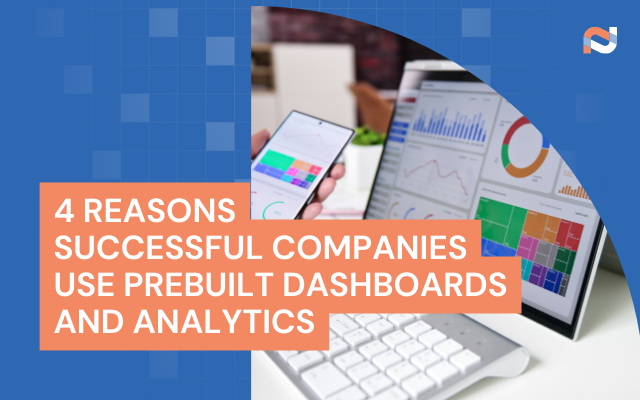
4 Reasons Successful Companies Use Prebuilt Dashboards and Analytics

4 Reasons Successful Companies Use Prebuilt Dashboards and Analytics

In a fast-moving business environment, data-driven decisions are no longer a luxury. They’re essential. But while many companies understand the value of analytics, not all organizations have the time, budget, or internal resources to build dashboards from scratch. This is why successful companies are increasingly turning to prebuilt dashboards and analytics solutions, not as a shortcut, but as a strategic advantage.

Here are four reasons why forward-thinking companies choose prebuilt dashboards over custom-built ones:

1. Leverage Proven Expertise

Prebuilt dashboards are more than just visualizations.They represent refined expertise and best practices, often honed across many companies and industries. Instead of starting from a blank slate, your team benefits from a solution that’s already been vetted, improved, and validated in the real world.

Companies use prebuilt dashboards to leverage the expertise of the team that built them. These dashboards have already proven successful across multiple companies.

By adopting proven designs and metrics, organizations gain faster insights with a higher degree of confidence. No trial-and-error required.

2. Free Up Internal Talent to Analyze the Data

Building dashboards in-house might seem like a way to save money, but in reality, it often leads to hidden costs and diverted resources. Prebuilt dashboards eliminate the need for internal technical teams to focus on development, allowing those experts to focus on more strategic initiatives that drive real business impact.

Companies using prebuilt dashboards save time (which is money) by not having employees build their own dashboards… and allow these technical experts to focus on tasks that are more critical to day-to-day operations.

In short, it’s not just about saving money — it’s about using your people where they’re needed most.

3. Accelerate Time to Insight

One of the biggest advantages of prebuilt dashboards is speed. When dashboards are already designed, tested, and ready to integrate with your existing systems, you can go live in a matter of weeks, not months.

Companies that use prebuilt dashboards get data intelligence into the hands of business owners faster… if an integration already exists, the dashboard could be live in a matter of weeks.

That means quicker access to the metrics that matter most, and faster decisions that move your business forward.

4. Minimize Project Risk

Every custom dashboard project comes with uncertainty: Will it be completed on time? Will it meet business requirements? Will it deliver value? Prebuilt dashboards help organizations avoid these risks entirely. It comes with inherent links:

There’s a risk of whether or not the project will be complete… and whether the project team can meet requirements. Businesses dislike risk, and prebuilt dashboards mitigate that risk.

With prebuilt solutions, you know exactly what you’re getting — a working, tested solution with clear capabilities from day one.

Final Thoughts

Building dashboards from scratch may sound appealing, but successful companies know there’s a better path. Prebuilt dashboards and analytics offer faster implementation, lower costs, proven results, and reduced risk .All this is possible while freeing your team to focus on higher-value initiatives.

If your goal is better decision-making through better data, don’t reinvent the wheel. Leverage the power of what’s already working. Get ahead faster using Neat Data’s prebuilt dashboards today!